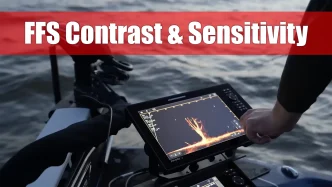


Understanding Mega Live Settings: Beyond the Basics
Modern anglers often visualize sonar technology in overly simplistic terms—imagining a sonar beam emitting straight from a transducer, hitting a target, and bouncing directly back to produce a clean, precise image on their screen. But the reality is far more complex.
In truth, the sonar environment is “noisy.” When the beam hits a target, it doesn’t simply reverse course. Instead, it reflects in multiple directions—some energy bounces to the surface or scatters through the water column before eventually making its way back to the transducer. This creates a cluttered, often chaotic sonar display. That’s where features like auto-sensitivity and contrast on Humminbird’s Mega Live system become essential tools for cleaning up the picture and making fish, structure, and your lure easier to identify.
Managing Noise with Auto-Sensitivity and Contrast
Humminbird’s auto-sensitivity and contrast functions provide a starting point by automatically adjusting the sonar image to deliver optimal clarity. These features are particularly helpful for locating fish, structural elements like weeds, rock, or timber, and the lake bottom itself.
However, when you’re trying to track a small bait—like a Ned rig or a crappie minnow—in a cluttered sonar environment, the default settings may not always be sufficient. This is where manual offset adjustments come into play.
By tweaking the sensitivity offset slightly upward, more sonar returns are introduced into the image, which can help pick up on fine details like a tiny lure. But this also increases visual clutter, making contrast adjustments just as important for dialing in your view.
Sensitivity vs. Contrast: Key Differences in Mega Live 2
In the world of Mega Live 2, sensitivity and contrast serve different purposes:
- Sensitivity: Think of this as your detail enhancer. Raising sensitivity increases the number of weak returns displayed—helpful for detecting soft targets like small lures or baitfish.
- Contrast: This functions as your noise control. Boosting contrast makes the whites whiter and the blacks blacker, helping to reduce background clutter. It’s your go-to adjustment for cleaning up the screen when the display gets too “busy.”
But the contrast control doesn’t stop there. Mega Live 2 introduces a second layer of refinement: dynamic contrast.
Dynamic Contrast: Fine-Tuning Your Display
Dynamic contrast in Mega Live 2 determines how many of those weak sonar returns are either displayed or filtered out:
- Low Dynamic Contrast: Displays more weak returns—ideal when you want to track fine details like a small jig or soft plastic.
- High Dynamic Contrast: Filters out weaker signals, giving you the cleanest display possible—perfect for identifying structure or groups of fish without distractions.
- Balanced Dynamic Contrast: Offers a middle-ground option, retaining some weak returns while reducing overall clutter.
The first decision in any sonar setup should be: What’s the goal of using forward-facing sonar in this moment? If your priority is lure tracking, then low dynamic contrast is the better choice. If you’re scanning for structure or fish locations without needing to see your lure, go with high dynamic contrast.
Once the dynamic contrast level is selected, you can proceed to fine-tune the sensitivity and contrast offsets to match the specific fishing conditions.
Forward-Facing Sonar as a Positional Tool
While Mega Live 2 is fully capable of tracking lures in real-time, many anglers misunderstand its most powerful application. It’s not always about watching the fish eat. In many situations, forward-facing sonar is best used to identify and target structure or fish location on a cast-by-cast basis.
For example, a quick sweep might reveal a submerged boulder or a pod of fish 40 feet to the right. After your boat drifts or pivots, you’ll use the sonar again to reacquire your target, recalibrate your casting angle, and reposition effectively. In this way, Mega Live helps anglers adapt with precision to constantly shifting variables.
The Changing Face of Fishing
Forward-facing sonar like Humminbird’s Mega Live 2 has fundamentally changed how anglers interact with the underwater world. Once a realm of mystery, the real-time view now exposes behaviors, patterns, and structure that were previously unknowable.
While there is still much mystery and nuance in fishing, tools like Mega Live have undeniably peeled back many layers, offering a deeper and more interactive understanding of the aquatic environment. With proper use of features like sensitivity, contrast, and dynamic contrast, anglers can customize their sonar experience to suit nearly any fishing condition—and in doing so, fish smarter, not harder.